Free crochet pattern maker — no sign-up
Crochet graph maker, shaped to your gauge
Draw a color graph for single crochet, or turn a photo into one. Type the gauge of your swatch, and the cells and the preview take the shape of your stitches.
Works in the browser on a computer or phone. Nothing to install.
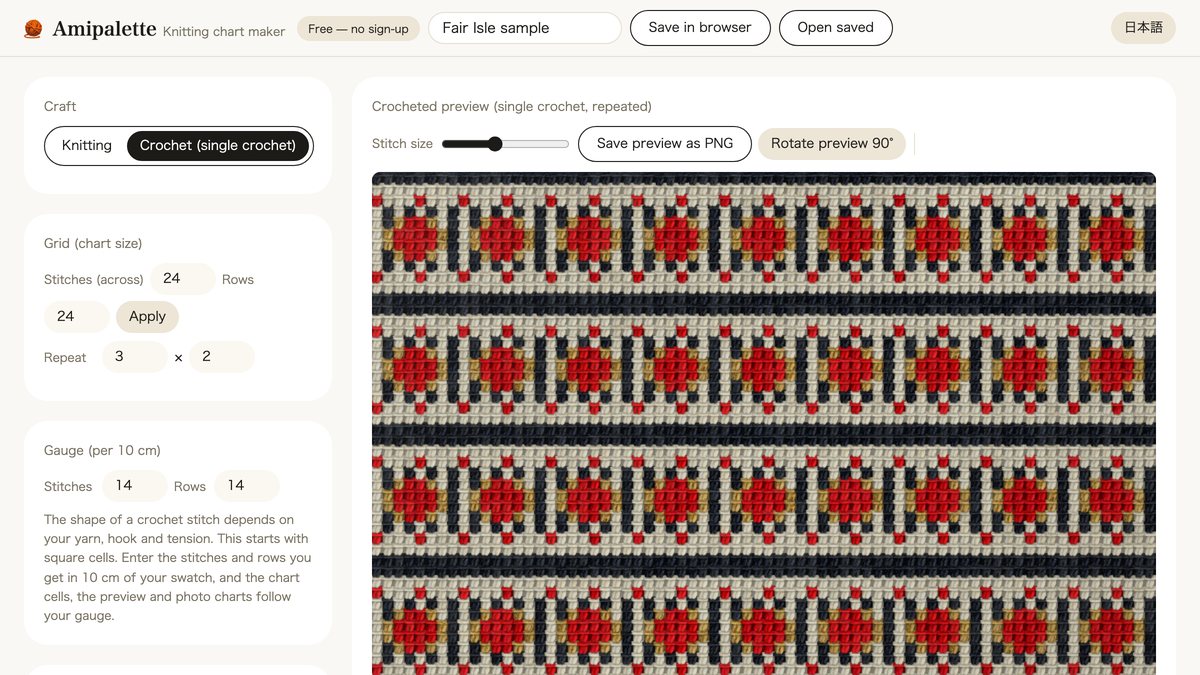
Amipalette in crochet mode (screenshot of the app)
See it crocheted
The preview is drawn in single crochet, not knit stitches.
Most graph makers show flat squares, or knit V stitches. In crochet mode Amipalette draws each cell as a single crochet stitch, so you can see the colors as rows of crochet before you start. Both pictures below are the same graph in Amipalette.
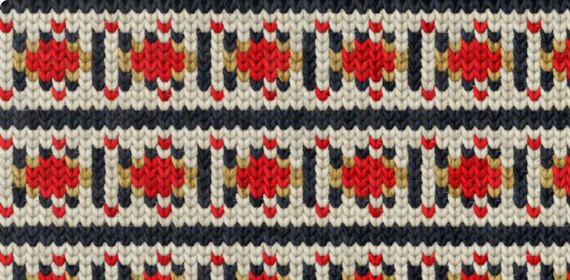
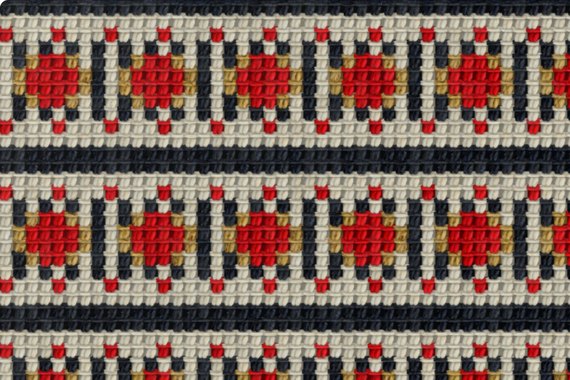
The previews are drawn by the app. They are not photos of real swatches.
Your gauge
Square cells to start. Your swatch decides the rest.
The shape of a crochet stitch changes with your yarn, your hook and your tension, so there is no single right ratio. Amipalette starts with square cells. When you know your gauge, type it in.
- Crochet a swatch in single crochet with the yarn and hook you will use.
- Count the stitches and the rows in 10 cm (about 4 in).
- Type both numbers into the gauge box. The graph cells, the preview and graphs made from photos all follow that shape.
What you get
One graph, ready to crochet from.
- Graphs
- Color graphs for single crochet colorwork, such as tapestry crochet, intarsia and graph blankets. Draw cell by cell, with a repeat if you need one.
- From a photo
- Pick a photo and it becomes a 4, 6 or 8 color graph in your gauge. Then fix any cell by hand.
- Colors
- 211 shades from the Jamieson's Spindrift shade card, by number and name. Use them as a color guide for the yarn you crochet with, or add your own colors.
- Export
- PNG, print or PDF, CSV, row-by-row text and a share link.
- Saving
- Saved in this browser. There is no account.
- Not supported
- Crochet symbol charts (stitch symbols), stitches other than single crochet in the preview, and garment patterns.
Make your first crochet graph.
Open the crochet graph makerFree. No sign-up.